
- Controller
- Your feet
- Map
- Every city you walk in
- Save file
- Only in your browser
The world hasn't finished loading
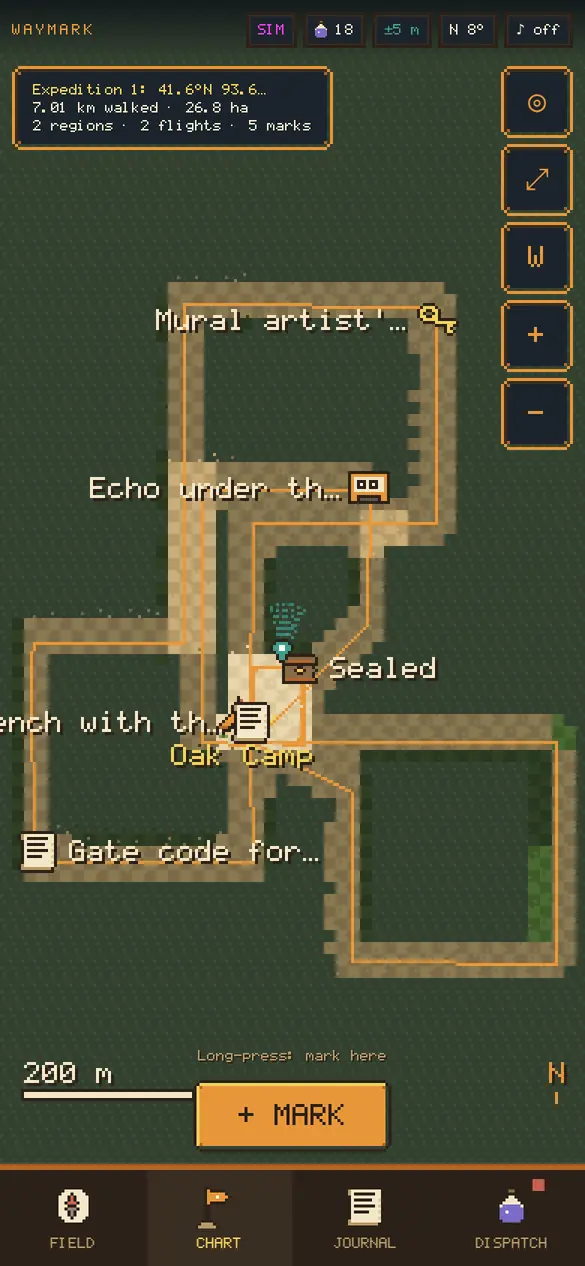
In Waymark the fog on the map is literal. Anywhere you haven't walked is unrendered country. Walk down a street and it renders, square by square, into pixel terrain. Streets you walk often wear into paths and roads. After a few weeks the chart is a picture of your habits, and nobody else has a copy.
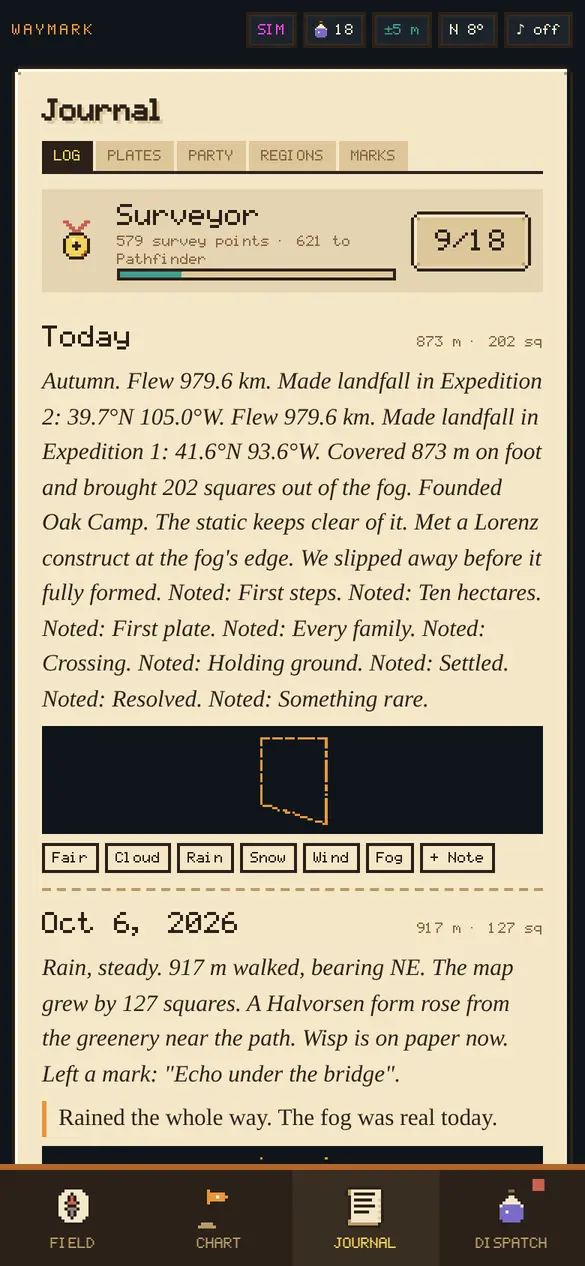
You are the naturalist on this expedition. The interface is your field journal, and it writes itself: distance made, ground rendered, what you met and what you sketched. The settlements, rivals and dangers are all invented.
The original Waymark was a notebook: notes, photos, voice clips and snippets left at real places and found again through the camera. All of that is still here. Marks are now journal entries, and an old mark can go wild while you're away.
Monsters made from your own camera
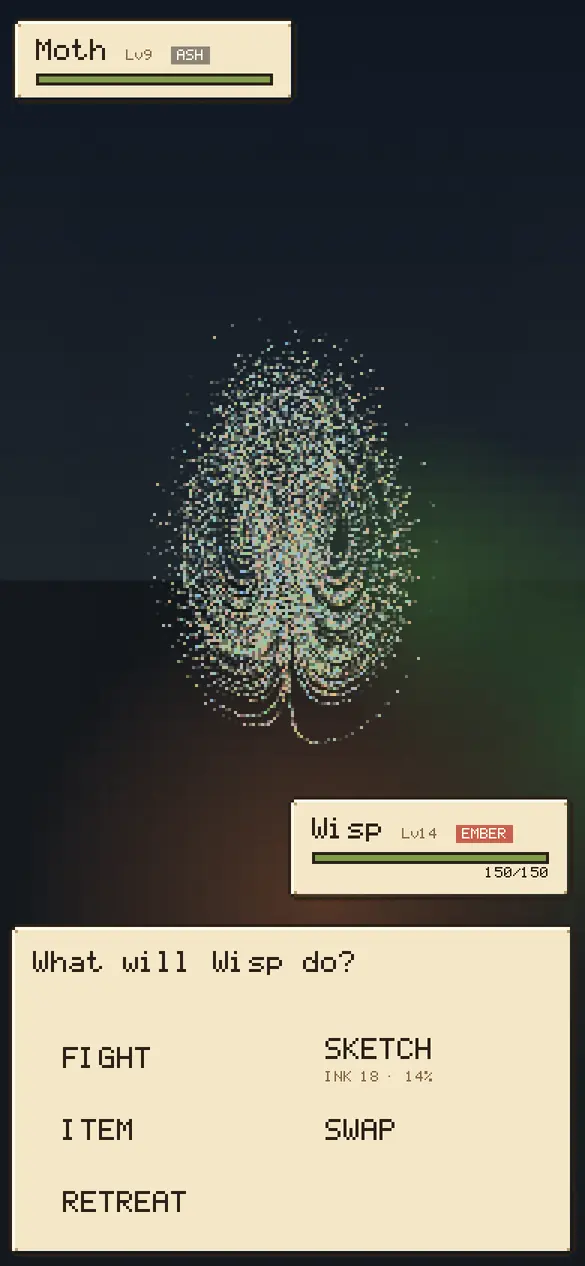
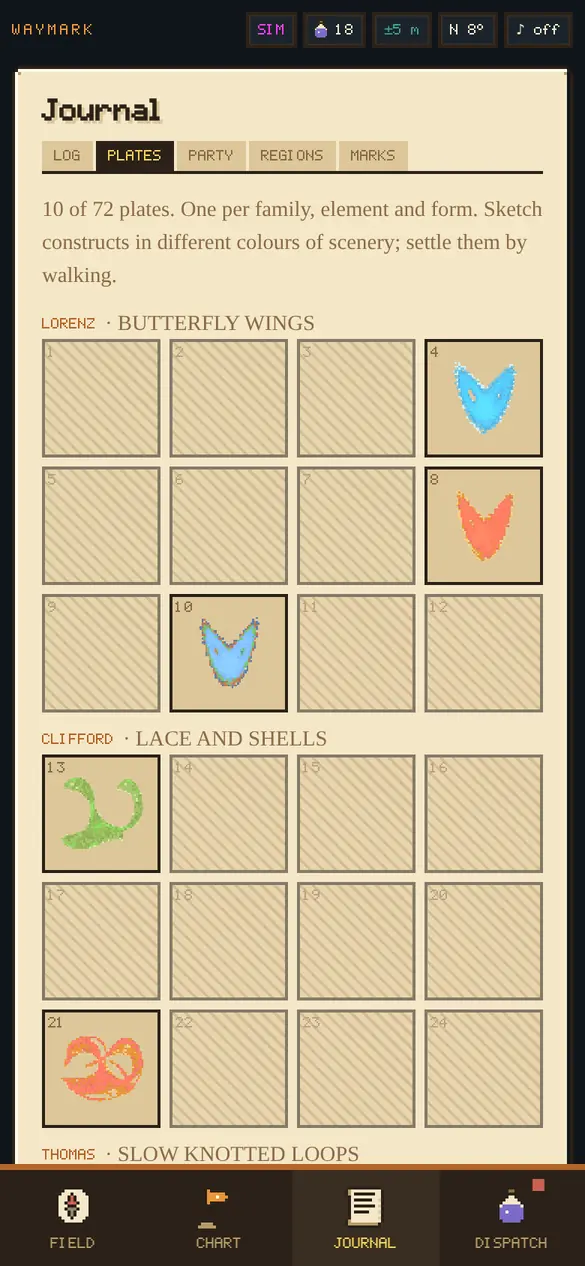
When something stirs, Waymark grabs one small frame from your camera. Each pixel becomes a particle that keeps its colour. Then the particles pull loose and settle onto a strange attractor, a shape traced by a set of equations that never quite repeats itself. A construct born from a brick wall is brick-coloured. One born under a blue sky is blue.
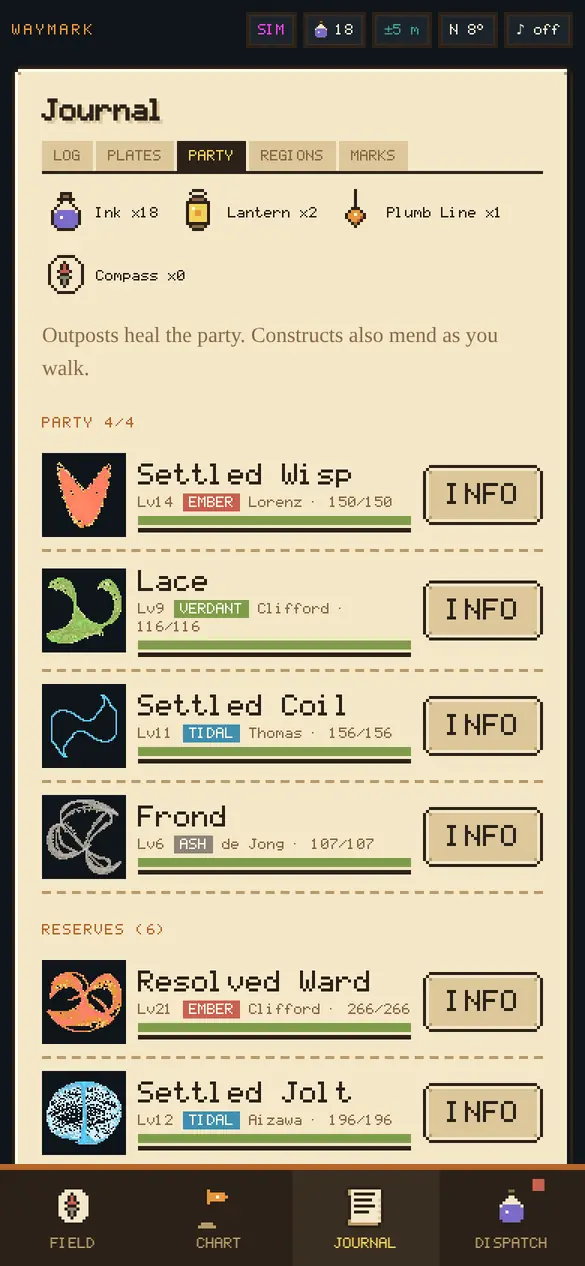
Six attractor families each fight differently. Lorenz forms are fast butterfly wings. Clifford forms are guarded lace. Thomas forms are slow, stubborn knots. De Jong, Halvorsen and the rare Aizawa fill out the catalog. A construct's stats are measured from its own shape: how much space the orbit fills, how fast nearby points fly apart, how dense it gets.
The scene's colour also sets its element. Green scenery makes Verdant constructs, blue makes Tidal, warm colours make Ember and grey makes Ash. Verdant beats Tidal, Tidal beats Ember, Ember beats Verdant. Want a Tidal one? Go find some water.
How to play
- Open Waymark on your phone and tap Begin the survey. The browser asks for location, camera and, on iPhone, motion and orientation, all from that one tap. You can also tap Ask beside each one first, one at a time.
- Your first construct forms from whatever the camera sees. It joins your party.
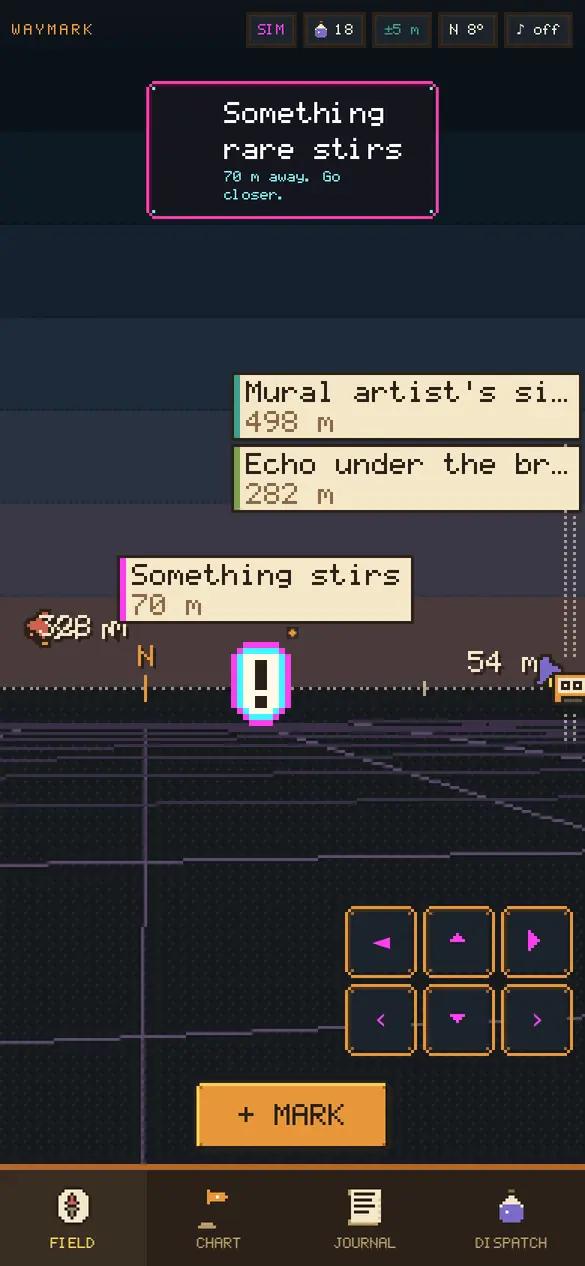
- Walk into ground you haven't covered. Now and then a marker reads Something stirs. Walk to it, then stand still. Battles never start while you're moving.
- Fight with a classic menu: Fight, Sketch, Item, Swap, Retreat. Sketching costs one Ink and works best when the construct is weak. A sketched construct joins your party of four.
- Constructs grow by walking with you, not by grinding fights. At levels 10 and 20 they settle into new forms.
- Visit the same block on five different days and it becomes an outpost: safe ground where the party rests and Quartermaster Ivo sells Lanterns, Plumb Lines and Compasses for Ink.
Every few days Ada Pell's rival survey turns up at the edge of the fog with a team of her own. Somewhere out in the fog, the Static Hermit hands out odd errands. Finish one and something rare comes looking for you.
On a desktop? Choose Simulated walk. Use WASD to walk, Q and E or a drag to look around. Long-press the chart to jump somewhere, or to fly to another city. Simulated play keeps a separate journal, so it never mixes with your real one.
A map that comes with you on a plane
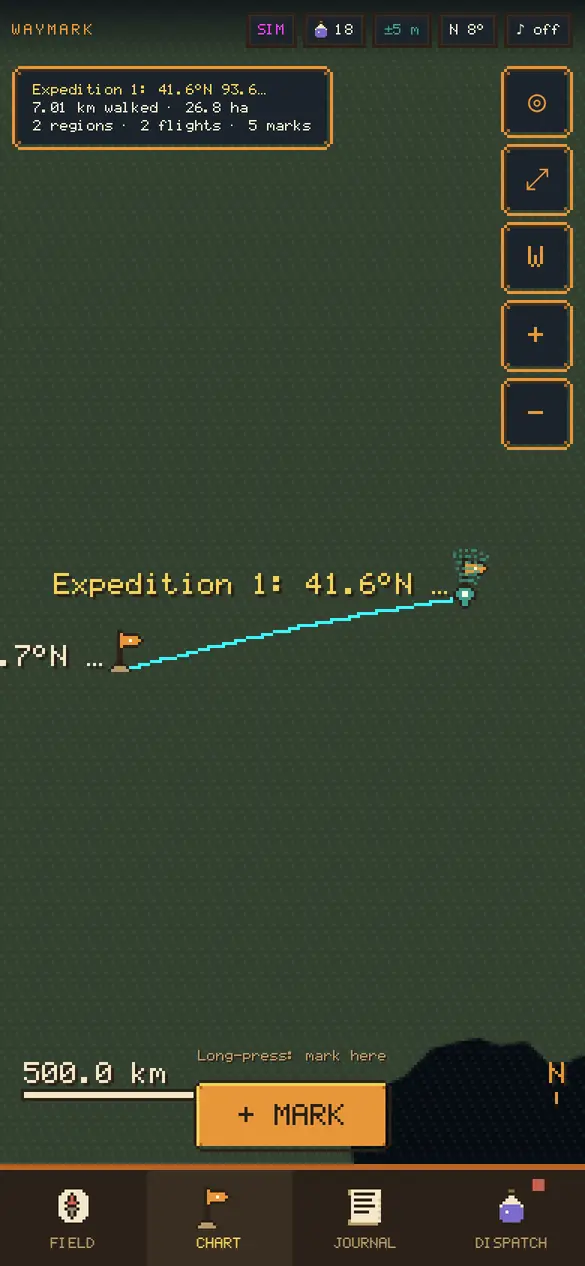
Waymark knows how you're moving. Walking reveals ground. Riding in a car or train draws a thin dotted line and reveals nothing. Flying draws an arc between airports, and the city you land in becomes a new expedition with its own squares, outposts and specimens.
Zoom out and the chart becomes a world map: your expeditions glow on public-domain coastlines, joined by your flights. The squares are stored in compact tiles, so a year of walking in many cities still fits in a couple of megabytes.
Your journal, and how to get it out
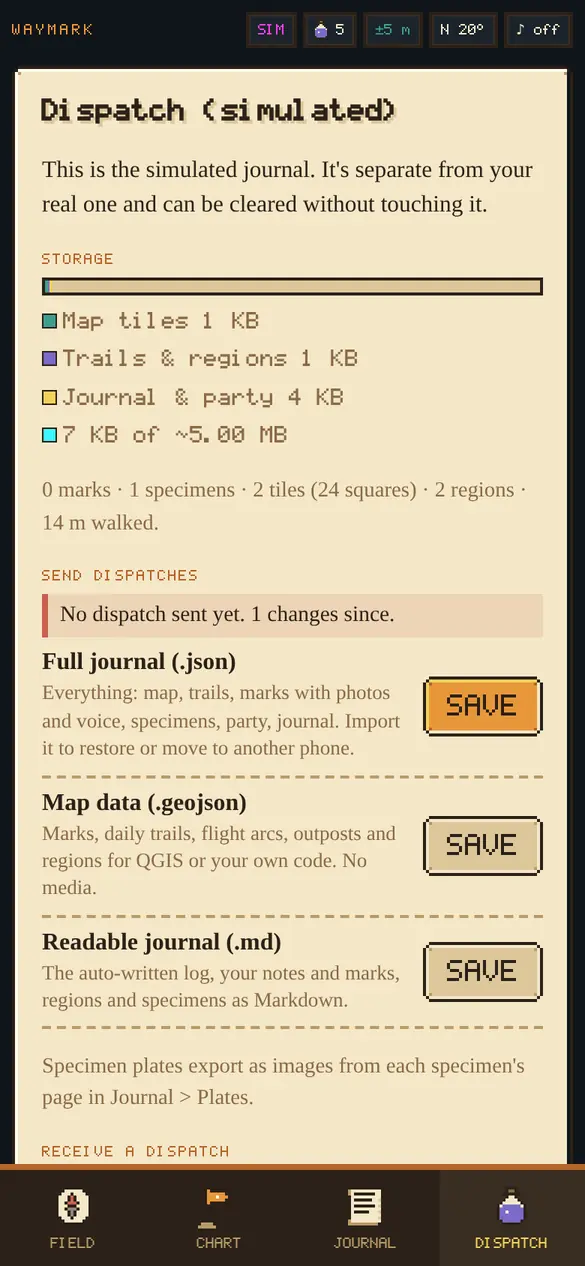
| Dispatch | What's in it | Use it for |
|---|---|---|
Full journal .json | The map, every trail, marks with photos and voice, specimens, party, journal and settings. | Backups and moving phones. Waymark imports it back and merges safely. It also reads v1 files. |
| Share sheet | The same .json. | Files, AirDrop or a cloud drive, without hunting for Downloads. |
Map data .geojson | Marks, daily trails, flight arcs, outposts and regions. | QGIS, any GeoJSON viewer or your own code. |
Journal .md | The auto-written log with your notes, marks, regions and specimens. | A notes app, a repo or plain reading. |
Specimen plate .png | A pixel-art card of one construct. | Showing off a rare one. |
There is no server, no account and no third-party service. The journal lives in this browser's localStorage, which every browser caps at about 5 MB per site. Photos and voice clips are much bigger, so they go on a separate shelf in the browser's IndexedDB, which can use a large share of the phone's free space. Both stay on the device. Clearing site data or private browsing erases them, so the Dispatch tab shows a meter for each and nudges you after a week without an export. If you used the first Waymark, your notebook is copied into the new journal automatically, and the old copy stays until you clear it.
Eight screens
Build notes
From Advisory Hour, October 10, 2026: Traveling? Try Waymark.
It's static ES modules with no build step and no dependencies. The battle engine, encounters, attractors, tiles and journal writer are pure functions with Node tests. The pixel font is an original 5 by 7 bitmap face, drawn as text and compiled into a 2 KB web font. Every sprite is hand-placed pixel art in the source. Constructs are a few thousand particles written straight into a small image buffer and scaled up crisply. The coastline is Natural Earth's public-domain land outline, shipped with the app.
Read the design notes and the changelog.